|
Subscribe
to the eMonitor!
Winter
February 2010
February 2010 eMonitor
The eMonitor looks best using Internet
Explorer
APCUG January NOOZ, 2010
Conference Flyer APCUG Annual Meeting, Phoenix,
Arizonia
Presentations from the ccOKC Open House,
October 10, 2009 that you can download:
Computer Resolutions - Jeff Blount, CTS, Ford
Audio Visual Systems, Inc.
Windows 7
Resources, Randy Mulanax

Macintosh Study Group 2nd Monday
6:30 p.m.
Cleo Roberts
Open Office 4th Thursday - 1:30 p.m.
Neal Baumwart
Tips and Tricks II Thursday - 1:30
p.m. Doris Collins
Build a Computer 3rd Tuesday - 1:30 p.m.
Randy Mulanax/Bill James
Social Networking 3rd Friday - 1:30 p.m.
Bill James
Windows 7 - 4th Wednesday 1:30 p.m.
Randy Mulanax/Bill James
ccOKC
Officer and Board of Directors 2010 Election
Results

February General Session:
Windows Live Photo Gallery
January 18th, 2010 at 7:00 p.m.
By Ray Rash
This
meeting promises to be another very enjoyable
and enlightening meeting that makes me proud to
present! Our speaker will be the Editor of our
News Letter, Bill James. Bill will talk about
“Perfecting Your Photos Using Windows Live Photo
Gallery”
“Nothing
spoils a photo like red eyes, poor exposure or a
stranger who wanders into the edge of your shot
at the last second. Fortunately, it is a snap to
repair these and other common photo frights. All
you need is Window Live Photo Gallery.
This free program for Windows XP, Vista
or Windows 7 lets you organize, share, and fix
your photos.
The presentation will show you how easily you
can make poor photos really stunning with a few
clicks.
One of the great things about digital
photos is how easy it is to make a good photo
great. We will show how easily you can fix your
photos, create a panoramic shot and send your
photos. You don’t need fancy (expensive) editing
software. With Windows and Windows Live, you’re
just a couple clicks away from fixing the most
common problems. And once you’ve got the red
eyes out and the image nice and bright,
e-mailing your photos is also quick and easy.”
Bill James is a lifelong resident of Oklahoma
City.
He retired from the Federal Aviation
Administration in 2007 after 37 years as a
Supply Systems Analyst for the FAA Logistics
Center in Oklahoma City. Bill first became
involved in a PC User’s Group in 1992 when he
joined the Oklahoma PC User’s Group now known as
the Computer Club of Oklahoma City to learn more
about the computer he purchased. He has been a
member of the clubs’ Board of Directors since
1998. Bill was elected President of the Computer
Club of Oklahoma City in 2000 and served 2
terms. He is currently the club’s Webmaster and
the editor of their newsletter.
We will have the regular prize drawing at the
end of the meeting but at this time due in part
to the weather this last week in January I can’t
tell what they are for sure? Of course we will
have our regular set of two prizes for visitors
one of which will be a year membership in the
club and the other will be a 8 gig flash drive.
There will be two prizes for members, one will
be a photo printer, I believe! Come and enjoy
being surprised!!!
THE FOLLOWING IS VERY IMPORTANT: In fairness to
all, no one will be allowed to register for the
drawing after 7:05 pm. You MUST have a current
Computer Club of Oklahoma City badge with you to
enter the members' prize drawing. If you forget
your badge, you have lost it, or it has expired,
you will not be eligible to fill out a prize
drawing slip. If you need a new badge, or need
to renew your membership to the Club, please see
or email our Membership Chairman, Jack Milner,
at least 24 hours before the General Meeting. No
new or replacement badges will be printed the
night of the meeting. Jack's email address is
members@ccokc.org,
and the phone number for the Club's Resource
Center is 405-843-4300 (leave a message if there
is no answer). This is a firm rule for all
meetings, so please be sure you bring your badge
with you each month. You are welcome to stay for
the presentation without your badge, but you
will not be allowed to participate in the
drawing, no matter how long you've been a member
of the Club. You can, of course, purchase a
membership in the Club that evening, but will
not be eligible for the members' drawing until
the following month. CCOKC – eMonitor March,
2010.
The February meeting will occur at 7:00 p.m. on
the 18th at our regular meeting place at east
end, 2nd Floor of the 3000 United Founders Blvd.
erash@usa.net

Articles that are
contained in the
Febuary 2010 eMonitor
January General Meeting Topic:
Windows
7 with Mark Voyles, by: Ray Rash
December General Session Review,
by: Ray Rash
Study Group Calendar:
Isaac Franklin, APCUG V.P. of
Education
Tips for Using MS Excel and Word: by:
Sharon
Parq
Articles:
This and That,
by Elizabeth B. Wright
The Sentence,
by Berry F. Phillips
A Twist on Abbot and Costello
(Unknown)
Ode to the Oklahoma Blizzard 2009
(Unknown)
Networking For Dummies (Part 1 of 2)
by Ron Hirsch
Networking for Dummies (Part 2 of 2)
by Ron Hirsch
Windows Control Panel Basics,
by Phil Sorrentino
How to Forward Emails Appropriately,
by
Dorothy Porterfeld

|

SeniorNet Users Group
(SNUG)
|
News from
Charlene Francis
For Those 50 +
|
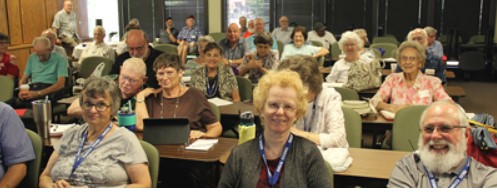
SNUG is a group of computer
users age 50 plus. Together,
we have been exploring and
learning about computers and
the ever changing technology
for 16 years. At our weekly
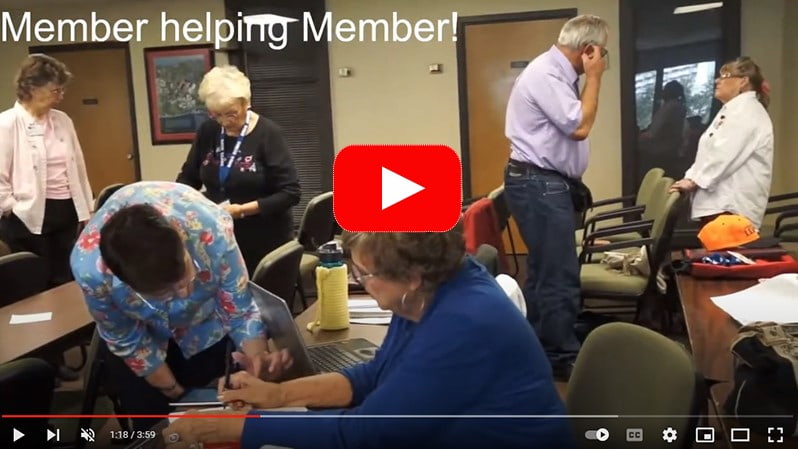
meetings, we help each other
solve problems and we also
share the good news and the
bad news about what we do
with our computers; or, we
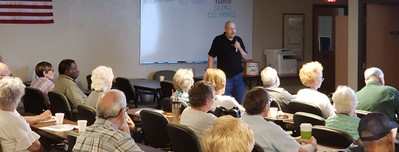
may have a presentation
given by one of our members
or a computer related
company. Joining this group
is a great opportunity to
become a member of a very
friendly and special
community that offers
benefits not found
elsewhere.
When
you join our group, there
are many benefits including
a 1 year membership on the
local level in CCOKC
(Computer Club Oklahoma
City) and on a National (or,
International) level, in
SeniorNet (SrNet) which is
based in Herndon, VA, and
both are non-profit
organizations with a strong
mission to help others learn
about computers. If you want
to know more about them,
check out their website,
www.ccokc.org
and/or
www.seniornet.org.
Another significant benefit
is the SrNet Computer
Classes that we offer.
SNUG is a non-profit
organization and an integral
part of the Computer Club of
Oklahoma City (CCOKC). A
large portion of our income
is from Membership Dues. The
total cost of a Sr. Combo
(or SNUG) Membership is
$60.00 for the 1st year.
($40.00 goes to SeniorNet
and the remaining $20 goes
to CCOKC). The total cost
for renewal fees for 1 year
is $55, ($30.00 for
SeniorNet and $25.00 for
CCOKC). Further, you pay
renewal fees directly to
each organization when you
receive your renewal notice
from them.
SNUG
meets every Thursday morning
from 10a.m. -12 Noon and you
do not have to be a member
to attend.
The
second Thursday is Windows
Tips and Tricks. All other
Thursday meetings are
problem solving sessions,
presentations, visits to
cool websites etc.
In the
problem solving area, if one
person doesn't know the
answer, another person will.
Visitors are always welcome.
If you would like to learn
more about us/our SrNet
Classes, or, if you have a
question, please feel free
to visit our meeting at the
time indicated above or
contact Charlene Francis,
405 359 5675/
cfrancis2@cox.net.
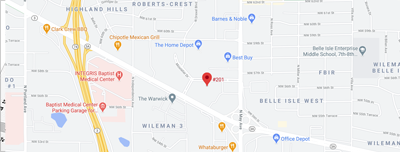
Click here for a map to our
Meeting location:
|
|

|
The eMonitor Newsletter
We are now sending out
the eMonitor in PDF form. You will have
to have a copy of Adobe Reader to open
it. Here is the link to download the
Adobe Reader if you do not have it.
http://www.adobe.com/products/acrobat/readstep2.html
Do remember that if you change
your email address, you need to remove
your old email address from the eMonitor
and then re-subscribe with your new
email address. This could be one of the
reasons for not receiving the eMonitor.
|
 Subscribe
to the eMonitor!
The eMonitor
features a synopsis of the
complete news, articles and
events posted on this Website.
You will receive it in your
internet mailbox on the first of
each month. In the 'eMonitor'
newsletter you will find all the
information regarding the club
and if you want to get
additional information, the
'eMonitor' will provide links to
the Website for further reading.
If you missed an issue you can
review it from the
'eMonitor' Newsletter files
found to the left on this page.
Don't miss the next issue,
subscribe now!
You will need the
Adobe Reader to read the
eMonitor, Click Here to download
7.0

|
|
|
The Mission Statement of the
Computer Club of Oklahoma City (CCOKC):
To facilitate the
understanding and use of computers for the
community and our members by study groups,
technical support, education, training,
socialization, fellowship, and speakers.

REPORT OF GENERAL MEETING ON January 21, 2010
By Sharon Huddleston
The CCOKC general meeting was held on Thursday, January 21st with
Mark Voyles as our guest speaker. He gave us
lots of tips and tricks that can be used in
Window 7 and occasionally in Vista. Two
examples of what you missed are outlined below.
By clicking on the following link you can retrieve some
new beautiful themes to use as screen savers or
windows backgrounds:
C:\Windows\Globalization\MCT
Have you ever heard of God Mode? It is a folder packed with
shortcuts to just about every settings change
and administrative function in Windows 7.
Everything you'll find in the Action Center,
Backup and Restore, Autorun, Desktop Gadgets,
Devices and Printers -- it's all there. All
dumped in one central location for easy access.
To enter "GodMode," one need only create a new folder on the
desktop and then rename the folder to the
following:
GodMode.{ED7BA470-8E54-465E-825C-99712043E01C}
Once that is done, the folder's icon will change to resemble a
control panel and will contain dozens of control
options. I'm not sure it's my idea of playing
God, but it is a handy way to get to all kinds
of controls.
erash@usa.net

Click Here to Join the Computer Club of OKC. See
the Membership form on the Website
What is a
Study Group
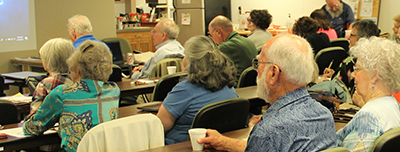
The Computer Club of OKC offers
many different
Study Groups. They are groups of 10-50
people who meet monthly to learn about a
particular subject. The format is part
presentation and part facilitated discussion.
A
STUDY GROUP, once called a
Special Interest Group, is an informal group
within ccOKC whose participants share a common
interest.
As such, a STUDY GROUP is the
place to ASK QUESTIONS, LEARN
and GET HELP about the subject
of that study group through the questions asked
by all and the demonstrations by the Study Group
leader. All Study Groups are FREE
and ALL ARE INVITED!
Come to a Study Group in our
Resource Center at 3000 United Founders Blvd.!
We are located at the east end of
the Center 3000 Building in Suite 201, so use
Entrance One on the east side of the building.
See Map on Website

What is the Computer Club of OKC?
See
"About Us"
We are a nonprofit, all-volunteer
organization of around 1200 members, with the
goal of teaching each other more about using and
enjoying their personal computers for business
and pleasure. The sole purpose of the
organization is reflected in its motto,
"Computer Users Helping Computer Users."

Information on
Senior Net
Click here for Class Schedule and Registration
Form
**Free Computer Class with Sr Combo Membership**
New Senior Combo Members (50 +) can now register
for the Computer Fundamentals class at no
charge. Contact Charlene Francis 359-5675,
if you have any questions regarding membership
and/or registration for the class.

ccOKC members
Clarence Powers and Mark Voyles

|